Engage your users and stay on top of important activity by setting up automated notifications. Manus allows you to create custom alerts that are triggered by specific events on your website, ensuring you and your users never miss a critical update.Documentation Index
Fetch the complete documentation index at: https://manus.im/docs/llms.txt
Use this file to discover all available pages before exploring further.
Setting Up Notifications
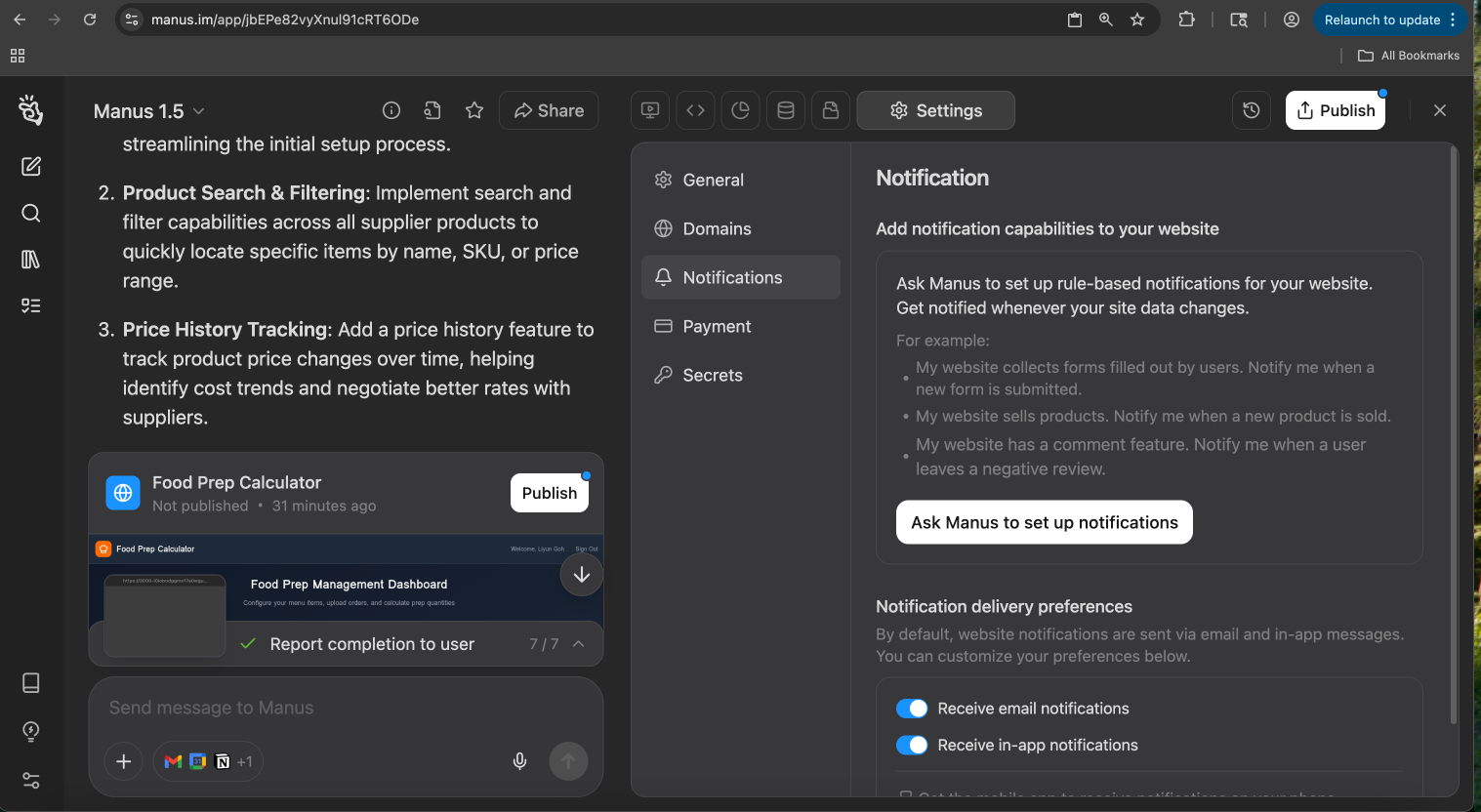
| Notification Trigger | Example Prompt |
|---|---|
| New Form Submission | "My website collects user data through a form. Notify me whenever a new form is submitted." |
| New Product Sale | "My website sells products. Send me a notification every time a new product is sold." |
| New Review | "My website has a review feature. Alert me immediately when a user leaves a negative review." |
| User Sign-up | "Send me a notification each time a new user creates an account on my site." |
Notification Preferences
You have full control over how you receive these alerts. By default, notifications are sent via both email and in-app messages, but you can customize your preferences at any time. Under Notification Sending Preferences, you can use the toggles to:- Receive email notifications: Get alerts sent directly to your inbox.
- Receive in-app notifications: See alerts within the Manus application interface.